By the Iottive Engineering Team · 18 min read · April 2026
In 2016, we sat across from the founder of a European golf-putter company. He had 150+ tour professionals using his product, a patent-pending sensor mechanism, and a problem: his hardware was brilliant, but the companion app felt like an afterthought. Golfers would record a practice session and then — nothing. No analysis. No feedback loop. No stickiness.
Two years later, that same putter — the Vertex SmartCore — had logged over 10 million putting strokes and became the preferred training tool for coaches of three major championship winners.
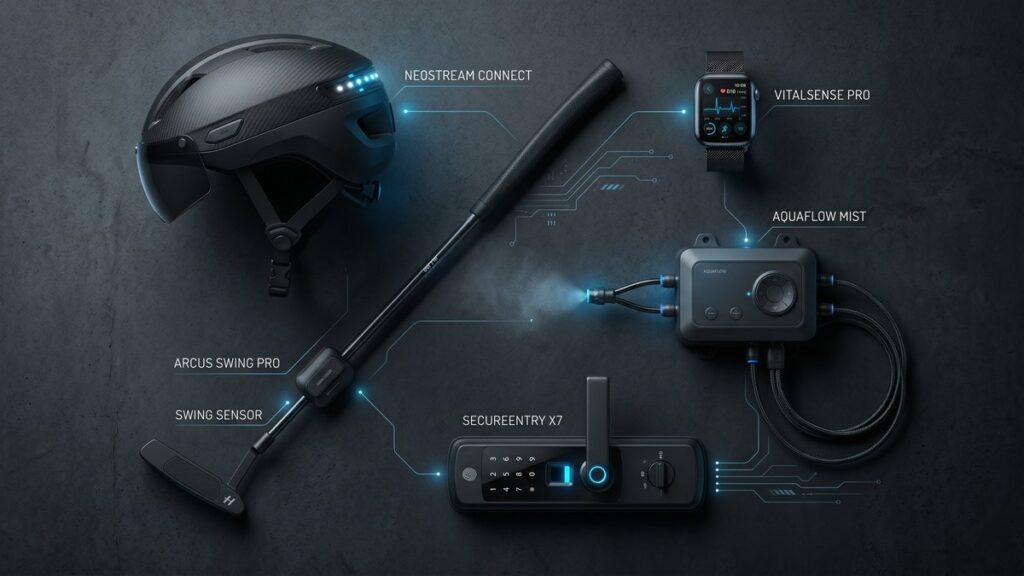
This playbook is the accumulated knowledge from engineering connected products for 155+ hardware companies over the past decade — across fleet management in Malta, climate sensors for citizen scientists, industrial misting systems in Italy, motorcycle safety in the United States, and luxury wireless chargers in Belgium.
What you will learn:
- The six-layer architecture of a production-ready connected product
- How to choose between BLE, Wi-Fi, LTE-M, and other protocols — with real tradeoff tables
- The honest cost and timeline breakdown for a first MVP through production launch
- When to build vs. buy each layer
- How to avoid the five mistakes that derail 80% of IoT projects
- A decision checklist you can use in your next planning session
Part 1: Why “Just Add Bluetooth” Fails
The most dangerous phrase in IoT product development is “we just need to add connectivity.”
Connectivity is not a feature. It is an architecture. Adding a BLE chip to a product without redesigning the firmware, power budget, security model, and data pipeline is like installing a jet engine on a bicycle and calling it an aircraft.
We have seen this failure mode play out dozens of times:
- A glucose monitor manufacturer added BLE in week 11 of a 12-week sprint. Pairing worked in the lab. In the field, reconnection after sleep mode failed 40% of the time. The product recall cost $2.3 M.
- A smart lock startup shipped firmware that allowed an unauthenticated BLE command to unlock the device from 30 feet away. The vulnerability was discovered by a security researcher on day one of public launch.
- An industrial sensor company built a beautiful cloud dashboard — and forgot that their devices would be behind NAT firewalls on factory floors. Zero devices ever connected.
The pattern in all three cases: connectivity was treated as a layer added on top of the product rather than designed into the product from day one.
Part 2: The Six-Layer Architecture
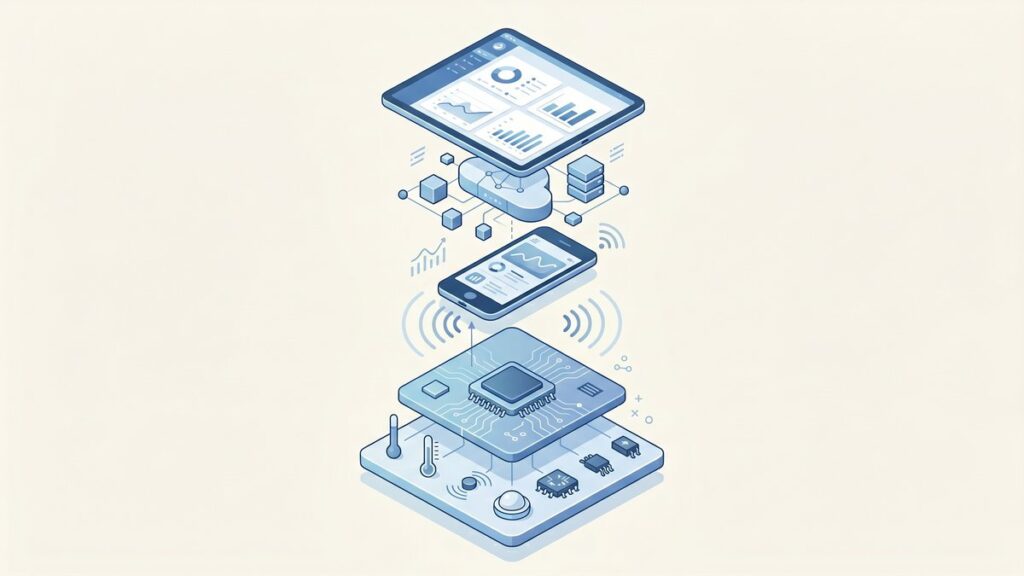
Every production-grade connected product is actually six products stacked on top of each other. Understanding these layers — and their interfaces — is the difference between a prototype and a shippable system.
Layer 1: Embedded Firmware
The firmware layer runs on your microcontroller or SoC. For BLE products, this typically means a Nordic nRF52 series or a Silicon Labs EFR32 — both offer mature SDKs, certified radio modules, and power management APIs that are well-documented.
Key firmware responsibilities in a connected product:
- BLE stack management: advertising, connection, pairing, bonding, reconnection
- GATT profile design: which services and characteristics expose your sensor data
- Power state machine: transitions between active, sleep, and deep-sleep modes without losing BLE context
- OTA update handler: accepting firmware images over BLE and writing them safely to flash
- Watchdog and fault recovery: ensuring the device recovers from software faults without requiring a physical reset
A firmware mistake at this layer is the most expensive mistake you can make. Firmware bugs that reach mass production require physical recalls or complex OTA patches — both of which erode customer trust and burn cash.
Layer 2: The Radio Protocol
The protocol choice drives cost, power budget, range, and the app experience. Here is a simplified comparison for the most common options for consumer and light-industrial connected products:
| Protocol | Range | Power | Requires Phone? | Monthly Cloud Cost (10k devices) | Best For |
|---|---|---|---|---|---|
| BLE 5.x | 10–100 m | Very Low | Yes (or gateway) | $0 (device-side) + app infra | Wearables, medical, consumer |
| Wi-Fi (802.11) | 30–50 m | High | No | $80–$400 | Smart home, appliances |
| LTE-M / NB-IoT | Nationwide | Low–Med | No | $200–$2,000+ | Fleet, logistics, field sensors |
| LoRaWAN | 2–15 km | Very Low | No (gateway) | $50–$300 | Agriculture, smart city |
| Zigbee / Thread | 10–30 m | Low | No (hub) | $0–$100 | Smart home mesh |
For most hardware startups building their first connected product, BLE is the right starting point. It requires no monthly connectivity fees at the device level, ships with free certification on pre-certified modules, and the phone becomes your gateway — eliminating the need for a separate hub infrastructure.
Layer 3: The Mobile Application
For BLE products, the mobile app is not a companion — it is the gateway. Data does not reach your cloud unless the app is open (or running in background mode, which has its own battery and OS permission constraints).
This architectural reality has product implications that surprise many hardware founders:
- Session-based data: If the user does not open the app for three days, three days of sensor data is buffered on the device (or lost, if the buffer overflows).
- Background sync limits: iOS severely limits background BLE activity. Your app cannot maintain a persistent BLE connection while in the background on iOS without explicit user permission and a specific background mode declaration.
- App store review risk: A rejected app update can block critical firmware OTA or security patches from reaching users.
For products where real-time data continuity is critical (medical monitoring, industrial alarms), a hardware gateway — not a phone — is often the right answer at Layer 3.
Layer 4: The Cloud Backend
The cloud backend is where your product becomes a platform. The core components:
- Device registry: maps device serial numbers to user accounts, firmware versions, and last-seen timestamps
- Telemetry ingestion: a high-throughput API endpoint (or MQTT broker) for receiving sensor data at scale
- Time-series storage: purpose-built databases (InfluxDB, TimescaleDB, or AWS Timestream) outperform relational databases for sensor data by 10–100× at query time
- OTA update service: manages firmware version targeting, rollout percentages, and rollback triggers
- Auth service: device-level authentication (certificate-based or token-based), separate from user authentication
A common mistake: building a monolithic REST API for telemetry ingestion. At 10,000 devices syncing every 60 seconds, you are handling 167 requests per second — a load that will overwhelm a standard web API container and produce 5–9% data loss without proper queuing.
Layer 5: The Analytics and Intelligence Layer
Raw sensor data is not value. Processed insights are value. This layer transforms ingested telemetry into the outputs that make users retain your product:
- Trend analysis and anomaly detection
- Predictive maintenance signals
- Personalized coaching or recommendations
- Fleet-level aggregate dashboards (for B2B)
- Alerting and notification triggers
This layer is where most MVP scopes get cut — and where the product value proposition lives. We consistently find that hardware companies that ship a basic analytics layer — even simple trend charts — see 2–3× higher 90-day retention than those that ship raw data views.
Layer 6: The Update and Lifecycle Layer
Connected products ship bugs. Regulations change. Features get added post-launch. Without a reliable OTA update mechanism, every firmware issue becomes a recall event.
A production OTA system requires:
- Signed firmware images (prevents supply chain attacks)
- Incremental rollout (release to 1% → 10% → 100% with automated rollback on error-rate spikes)
- Dual-bank flash (so a failed update does not brick the device)
- Update status reporting (so you know what percentage of the fleet is on each version)
OTA is not a nice-to-have. It is a regulatory requirement in the EU under the Cyber Resilience Act (effective 2027) and a practical necessity for any product with a shelf life longer than 18 months.
Part 3: Choosing Your Radio Protocol
The protocol decision is irreversible once hardware is manufactured. Making it based on demo convenience rather than production requirements is a frequent source of expensive redesigns.
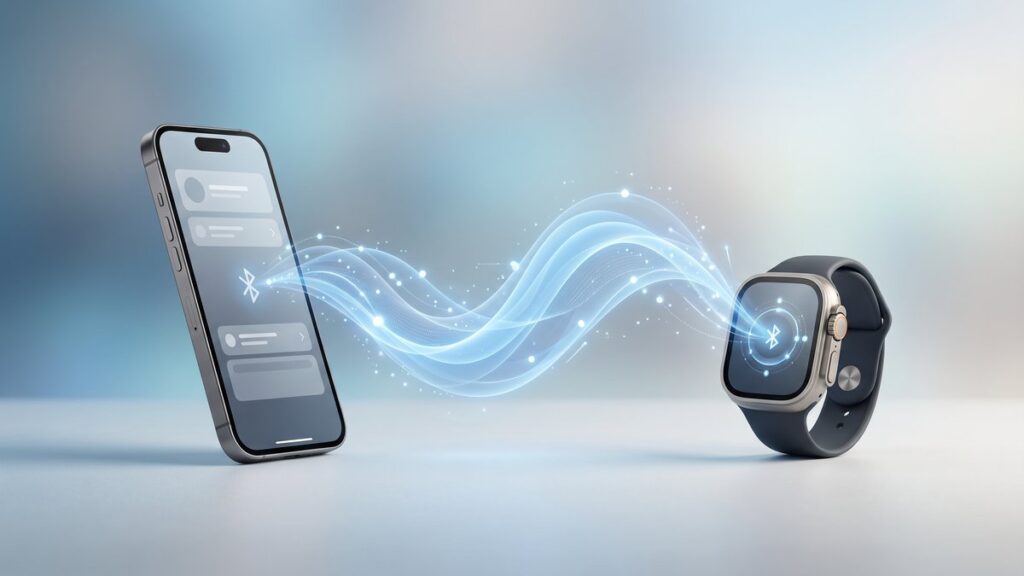
When BLE Is the Right Choice
- The user will have a smartphone nearby during product use
- You need battery life exceeding six months on a coin cell
- Your product is consumer or prosumer (wearable, fitness, medical, sports)
- You cannot afford monthly connectivity fees per device
- You need iOS and Android compatibility without custom hardware
When Wi-Fi Is the Right Choice
- The product is always plugged in (appliances, smart home, industrial equipment near outlets)
- You need always-on cloud connectivity without a phone intermediary
- Data volumes exceed what BLE can efficiently transfer (>100 KB per sync)
- You are building for enterprise or commercial environments with managed Wi-Fi infrastructure
When Cellular (LTE-M / NB-IoT) Is the Right Choice
- The product moves or is deployed in locations without fixed infrastructure (vehicles, containers, field assets)
- Guaranteed connectivity matters more than cost
- The business model can absorb $1–10/device/month in connectivity fees
- Real-time remote monitoring is a core feature, not optional
Part 4: Timeline Reality
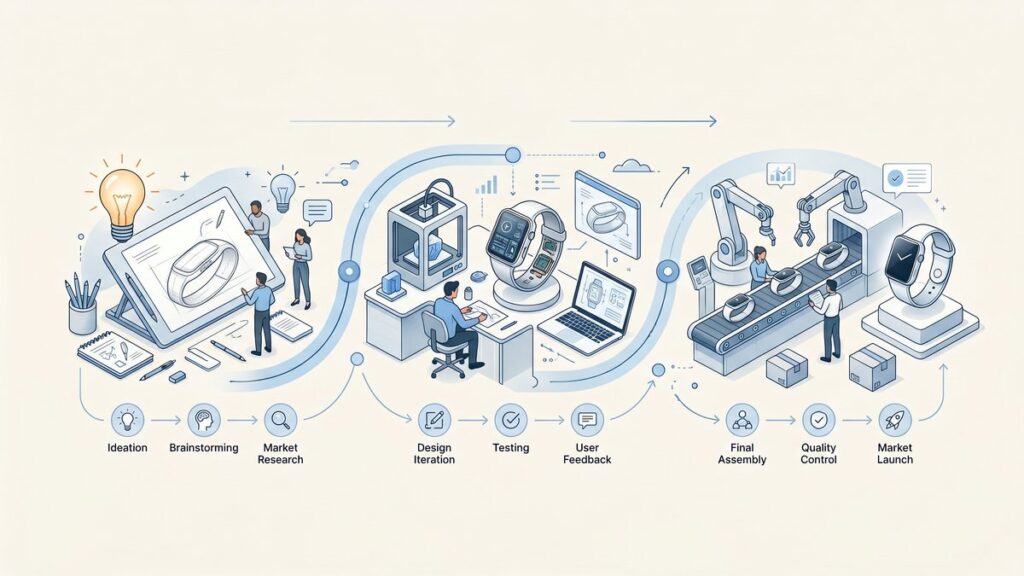
The most common mismatch we see between hardware founders and engineering teams is on timeline expectations. Here is the honest breakdown, based on median delivery times across our project portfolio:
| Phase | What Gets Built | Typical Duration |
|---|---|---|
| Discovery & Architecture | Protocol selection, system design, API contracts, risk registry | 2–3 weeks |
| Firmware MVP | BLE stack, GATT profile, sensor integration, basic OTA stub | 6–10 weeks |
| Mobile App MVP | BLE pairing, data display, user accounts, basic sync | 8–14 weeks |
| Cloud Backend MVP | Device registry, telemetry API, auth, OTA service | 6–10 weeks |
| Integration & QA | End-to-end testing, field testing, performance validation | 3–5 weeks |
| Certification Support | FCC/CE pre-scan support, BLE SIG qualification | 4–6 weeks |
Total MVP Range: Over 6–8 months
These figures assume you already have hardware prototypes ready for firmware integration. If hardware is still in design, add 3–6 months for hardware bring-up and PCB spins.
The parallelization question: firmware and cloud development can run in parallel (using agreed API contracts as the interface). Mobile app development should start no earlier than week 4, once the BLE GATT profile is stable enough to build against. Starting mobile earlier typically produces 2–3 weeks of throwaway work as the firmware interface changes.
Part 5: Build vs. Buy at Each Layer
Not every layer needs custom development. Here is our current recommendation matrix based on build/buy economics:
| Layer | Build Custom | Buy / Use Platform | Recommendation |
|---|---|---|---|
| BLE Firmware Stack | Full control, no licensing | Nordic SDK, Zephyr RTOS | Use established SDK. Do not write a BLE stack. |
| OTA Service | Full control over rollout logic | AWS IoT Jobs, Memfault, Mender | Buy for <50k devices. Custom above that threshold. |
| Mobile BLE Layer | Maximum flexibility | Nordic Blinky SDK, React Native BLE PLX | Use library. Do not rewrite CoreBluetooth/BluetoothGATT wrappers. |
| Cloud Telemetry | Full schema control | AWS IoT Core, Azure IoT Hub, InfluxDB Cloud | Hybrid. Use managed MQTT broker, build custom processing pipeline. |
| Device Auth | Full control, no vendor lock-in | AWS IoT Certificates, Particle, Blues | Buy. Device certificate management is a solved problem. |
| Analytics/ML | Proprietary algorithms = moat | AWS SageMaker, generic dashboards | Build. This is where your product IP lives. |
Part 6: The Five Mistakes That Kill IoT Projects
Mistake 1: Skipping the Architecture Phase
The Architecture phase (Part 4 cost table, row 1) is the most frequently skipped and most frequently regretted phase. Starting firmware development without agreed API contracts and a validated protocol choice produces expensive divergence between the firmware, mobile, and cloud teams. In one engagement, a skipped architecture phase produced a 14-week delay and $180,000 in rework when the firmware team and cloud team discovered their assumed data formats were incompatible.
Mistake 2: Underspecifying the GATT Profile
The GATT profile — the BLE data schema that defines how your device exposes data to the mobile app — is your product’s API contract. Changing it after the mobile app is built requires synchronized releases of firmware and app, which is operationally complex once devices are in the field. We treat the GATT profile with the same discipline as a public API: versioned, documented, and change-controlled from day one.
Mistake 3: Ignoring iOS Background Restrictions
iOS 13+ introduced significant restrictions on background BLE activity. If your product’s user experience depends on the phone continuously syncing data from the device (sleep trackers, continuous monitors, sports sensors), you will encounter this constraint in user testing. The mitigation options are: (a) use a hardware gateway instead of a phone, (b) design for session-based sync with on-device buffering, or (c) use Apple’s Core Bluetooth background mode with explicit documentation to users about battery impact. There is no option (d) that bypasses the OS restriction.
Mistake 4: Using a Relational Database for Telemetry
PostgreSQL and MySQL are excellent databases for user data, device registry, and configuration. They are poor databases for high-frequency time-series sensor data. At 10,000 devices logging once per minute, a relational database storing raw telemetry will begin experiencing performance degradation within 18–24 months. We have migrated three clients from relational to time-series storage in production — a painful, expensive operation that is entirely avoidable by making the right choice at architecture time.
Mistake 5: Treating Security as a V2 Feature
BLE security is not the default. Out-of-the-box BLE connections are unencrypted and unauthenticated. Implementing LE Secure Connections pairing, encrypting GATT characteristics, and validating device identity against a certificate stored at provisioning time are all engineering tasks that require explicit design and implementation effort.
The cost of retrofitting security into a shipped product: 3–6× the cost of building it in from the start, plus the reputational risk of a public disclosure in the interim.
Part 7: Real Projects, Real Numbers
Theory is useful. Numbers are better. Here are four real projects (anonymized by industry and geography, consistent with client NDAs) with actual delivery metrics:
Project A: Fleet Telematics Platform (Malta)
Product: LTE-M asset tracker for commercial vehicle fleet, 1,200 devices at launch.
Stack: Custom firmware on STM32 + SIM7080G LTE-M module, AWS IoT Core + Timestream backend, React dashboard.
Timeline: 9 months from kickoff to production deployment.
Cost: Hardware BOM: €38/unit.
Key challenge: NAT traversal for devices behind carrier-grade NAT. Solved with MQTT over TLS with persistent keepalive and server-side last-will messages for disconnect detection.
Result: 99.2% uptime across the fleet in year one. Client expanded to 4,800 devices in month 18.
Project B: Consumer Health Wearable (Belgium)
Product: BLE wrist sensor for continuous HRV monitoring, targeted at biohacker market.
Stack: Nordic nRF52840 firmware, React Native iOS/Android app, InfluxDB Cloud + custom analytics API.
Timeline: 7 months to App Store submission.
Cost: Hardware BOM: €22/unit at 5,000-unit MOQ.
Key challenge: iOS background sync. Solved by implementing on-device circular buffer (72 hours of HRV data) and session-based sync when app opens, eliminating dependency on background mode entirely.
Result: 4.6-star App Store rating at launch. 68% 90-day retention (category average: 23%).
Project C: Industrial Misting Control System (Italy)
Product: Wi-Fi connected misting controller for commercial greenhouse and hospitality environments.
Stack: ESP32 firmware with custom Wi-Fi provisioning flow, MQTT backend on AWS, React Native app + web dashboard.
Timeline: 11 months (extended due to CE certification iterations).
Cost: Hardware BOM: €54/unit.
Key challenge: Reliable Wi-Fi provisioning in commercial environments with enterprise WPA2-Enterprise networks. Solved by implementing both soft-AP provisioning and Bluetooth-assisted provisioning as fallback.
Result: Deployed in 340 commercial sites across Italy and Germany. Zero remote support tickets related to connectivity in months 6–18 post-launch.
Project D: Motorcycle Safety Helmet (United States)
Product: BLE-enabled smart helmet with crash detection, emergency SOS, and ride logging.
Stack: Nordic nRF9160 (LTE-M + BLE combo SiP), iOS/Android app, AWS IoT + custom emergency dispatch integration.
Timeline: 14 months to FCC/DOT certification submission.
Cost: Hardware BOM: $67/unit at 2,500-unit MOQ.
Key challenge: False-positive crash detection leading to unnecessary SOS triggers. Solved with a two-stage algorithm: accelerometer threshold trigger followed by a 20-second confirmation window with a cancel button, reducing false positives by 94%.
Result: Became the first DOT-certified smart helmet with integrated LTE-M emergency dispatch. Featured in Wired and TechCrunch at launch.
Part 8: Your Pre-Kickoff Checklist
Before committing budget to a connected product development engagement, validate these ten questions. If you cannot answer more than three, the architecture phase is not a phase you can skip.
- What is the primary connectivity protocol, and why? (Not “we need connectivity” — the specific protocol and the specific reason.)
- What is the expected battery life, and what is the power budget per BLE advertisement / sensor read cycle?
- Where will data be stored on the device when the app is not connected, and what happens when the buffer fills?
- What is the OTA update delivery mechanism, and who controls rollout targeting?
- What is the device authentication model (certificate, token, or none)?
- What is the telemetry schema, and who owns schema versioning?
- What analytics or intelligence outputs will drive user retention?
- What regulatory certifications are required (FCC, CE, UKCA, MDD, FDA), and are they budgeted?
- What is the support model for devices in the field after launch?
- What is the sunset plan for devices when the cloud backend is eventually decommissioned?
Conclusion: Connectivity Is a Strategy, Not a Feature
The hardware companies that have successfully shipped connected products — the ones whose products are still running reliably three, five, eight years after launch — share one characteristic: they treated connectivity as a core architecture decision, not a feature added to an otherwise-complete product.
The golf putter company from the opening of this playbook succeeded not because we added BLE to their sensor. It succeeded because we redesigned the firmware power state machine, specified a GATT profile that exposed the right data for the app to deliver meaningful coaching, built a sync architecture that buffered 30 days of practice data on-device, and delivered an analytics layer that turned raw stroke data into actionable technique feedback.
Connectivity was not added. It was designed in.
If you are planning a connected product launch in 2026, the questions in Part 8 are a good starting point for your next internal planning session. If you would like a technical architecture review of your current design, our team at Iottive offers a no-commitment architecture review for hardware companies at the pre-development or early-development stage.
Request an Architecture Review →
About Iottive
Iottive is a specialist IoT and embedded engineering firm with a track record across 155+ connected hardware products. Our work spans BLE wearables (fitness, medical, sport), Wi-Fi connected appliances, LTE-M asset trackers, and LoRaWAN environmental sensor networks. Case studies include fleet telematics in Malta, smart home products in Belgium, industrial automation in Italy, climate science instrumentation for academic research, luxury chargers), and life-safety technology (motorcycle helmets).

Transform Your IoT Vision Into Reality.
Get free expert insights, architectures & cost breakdowns.
Drop your email to schedule free meeting.