From Clinic Floor to Connected Device: A Healthcare or Fitness Provider’s Guide to Building Your First Hardware Product

Healthcare practitioner sketching ideas for a connected wearable medical device at a sunlit desk
For most successful health and fitness hardware founders, the journey starts the same way: a practitioner with an idea and a notebook.

By the Iottive Engineering Team · 12 min read · April 2026

You’ve thought about this for months. Maybe years.

You’re a physiotherapist watching the same six rehabilitation problems show up across hundreds of patients, and the existing products on the market don’t quite solve any of them. You’re a strength coach noticing that the testing tools you use are either cheap-and-unreliable or expensive-and-tethered to a single piece of furniture in a single room. You run a gym chain and you’ve watched three competitors launch branded recovery devices that doubled their average revenue per member. You’re a cardiologist whose elderly patients need a continuous-monitoring solution that costs less than a gold bracelet and is easier to charge than a Tesla.

You have the idea. You know exactly who needs it. You probably have early sketches on a napkin, in a Notion doc, or on a slide deck you’ve shown three trusted colleagues.

What you don’t have is a clear picture of what happens between “I have an idea” and “my product is in the hands of patients or athletes.”

This is that picture.

We’ve taken healthcare professionals, sports coaches, and clinic owners from sketch to shipped product more than 150 times since 2016 — including for elite golf coaching, FDA-cleared neuromuscular stimulation, ESD-protection wristbands, smart misting systems for hospitals, baby-safety monitors, and remote patient monitoring platforms. The journey is more predictable than most first-time founders realize. It’s also more expensive in some places and significantly cheaper in others than the internet would have you believe.

Here’s the honest version.

Why Practitioners Make the Best Hardware Founders (and the Worst Engineers)

The strongest health and fitness hardware products in the market today were started by practitioners — not engineers. There’s a structural reason for this.

A physiotherapist who has tested 500 athletes has internalized something an engineer cannot: the specific, repeating moment of friction that real users experience. The seven-second pause where the data isn’t loading. The strap that doesn’t fit. The metric that everyone glances at but no one actually uses. The follow-up appointment that gets skipped because the at-home device is too confusing.

Practitioners see these moments. Engineers don’t, until practitioners point them out.

But practitioners also tend to make three predictable mistakes when they try to build the product themselves:

  1. They underestimate how much engineering is involved. Building a hardware product that works is roughly 10x the work of building a software-only app. Connected hardware adds another 3x.
  2. They overestimate their need to “own” the engineering. The companies that succeed don’t try to learn embedded firmware programming. They partner with engineering teams who have shipped these products before — and stay focused on the clinical or athletic insight that made the product worth building in the first place.
  3. They assume they need a finished prototype before talking to anyone. The opposite is true. The earlier you bring engineers into the conversation, the cheaper the product becomes to build.

If you take nothing else from this article, take this seriously: most expensive mistakes in hardware happen in the first 90 days, not the last.

The Six Stages of Going From Idea to Shipped Device

Six stages of hardware product development from concept sketches through prototype to finished retail product
Almost every successful product moves through the same six stages — usually 9 to 18 months from idea to shipped device.

Almost every successful product we’ve shipped has moved through the same six stages. The total journey is typically 9 to 18 months.

Stage 1 — Concept Validation (Weeks 1–4)

Before any hardware exists, before any sketches are real, you need to answer three questions on paper:

  1. Who is this for, specifically? Not “physiotherapists.” A name. A clinic. A patient profile. The product gets clearer or vaguer based on the precision of this answer.
  2. What measurement, signal, or stimulus does the device provide that nothing else does? If the answer is “the same as competitor X but cheaper” — stop. That product will be commoditized within 24 months. The successful products do something measurably different, not just similarly.
  3. What does the user do with the device every day? Walk through the full daily workflow. Where does the device live when not in use? How does it charge? Who does the data go to? What happens if the user loses it?

You don’t need engineering for this stage. You need brutal honesty and conversations with 15–20 of your potential users. Cost: under $3,000, mostly time.

Stage 2 — Technical Feasibility (Weeks 5–8)

This is where engineers enter the picture, and it’s the stage most first-time founders skip — to their cost.

A good engineering partner spends 4–6 weeks producing a technical feasibility report covering:

  • Sensor selection. What hardware can actually measure what you need at the accuracy you need at the cost you need?
  • Wireless protocol decision. BLE, WiFi, cellular, or LoRaWAN? The choice constrains every downstream decision — battery life, cost, range, certification.
  • Power budget. How long does the device need to run between charges? That answer determines battery size, which determines product size, which determines what your product physically looks like.
  • Regulatory pathway. Is this a wellness product or a medical device? FDA 510(k), CE-MDR, or unregulated? The answer changes timeline and budget by 3–6x.
  • Cost-of-goods estimate. What will each unit cost to manufacture at 100 units, 1,000 units, and 10,000 units?

Cost: $5,000 to $6,000. This is the single highest-leverage spend in the entire journey.

Stage 3 — Prototype Development (Months 3–6)

The first physical prototype gets built. Not the final product — a working “ugly” version that proves the concept on a benchtop.

This stage typically includes:

  • Custom PCB design (the circuit board)
  • Initial firmware that captures and transmits data
  • A bare-bones companion app for testing
  • 5 to 10 prototype units for internal trials

This is also where the BLE protocol gets designed — the structured “language” your device and app use to talk to each other. Most first-time founders don’t realize this is its own engineering discipline. It is. A poorly designed BLE protocol will haunt the product for its entire lifetime.

Cost: $20,000 to $30,000.

Stage 4 — Pilot Testing (Months 6–9)

Twenty to fifty units in the hands of real users. This is where the product stops being a theory.

You’ll discover:

  • Things that worked in your office that don’t work in a real clinic
  • Failure modes you didn’t anticipate (sweat, drop tests, battery anxiety)
  • App workflow problems that your engineering team would never have spotted but your users will name within five minutes
  • Whether the regulatory category you assumed at Stage 2 is actually correct

Your engineering team revises the firmware, app, and sometimes the hardware itself based on what the pilot reveals. Plan for one to three iteration cycles here. Most products that fail in market fail because they skipped this stage or rushed it.

Cost: $30,000 to $80,000 including hardware iteration.

Stage 5 — Certification & Production-Readiness (Months 9–14)

This is where the product becomes legal to sell. Almost every connected health or fitness device needs some combination of:

  • FCC Part 15 (US) and CE RED (EU) — required for any product transmitting wireless signals. $15,000–$40,000.
  • Bluetooth SIG Qualification — required to legally use the Bluetooth trademark. $8,000–$10,000.
  • FDA 510(k) — if the product is classified as a medical device. $50,000–$300,000 and 6–18 months. (Most products you imagine as medical are actually wellness products and don’t need this — verify in Stage 2.)
  • IEC 60601-1 — medical electrical equipment safety. $30,000–$100,000.
  • IEC 62133 — battery safety. Required for most rechargeable products. $5,000–$15,000.

Plan certification from Day 1, not when you’re ready to launch. We’ve seen companies finish their hardware design and then discover that an antenna placement mistake killed their FCC certification. Fixing that mistake meant a new PCB revision, three lost months, and $300,000 unbudgeted.

Stage 6 — Manufacturing & Launch (Months 12–18)

The factory makes the product. The app launches on the App Store and Play Store. The cloud goes live. You ship.

This stage is more operational than engineering, but engineering still matters: OTA firmware update infrastructure, production-line testing protocols, and the customer support backend all get built here.

What It Actually Costs (Honest Numbers)

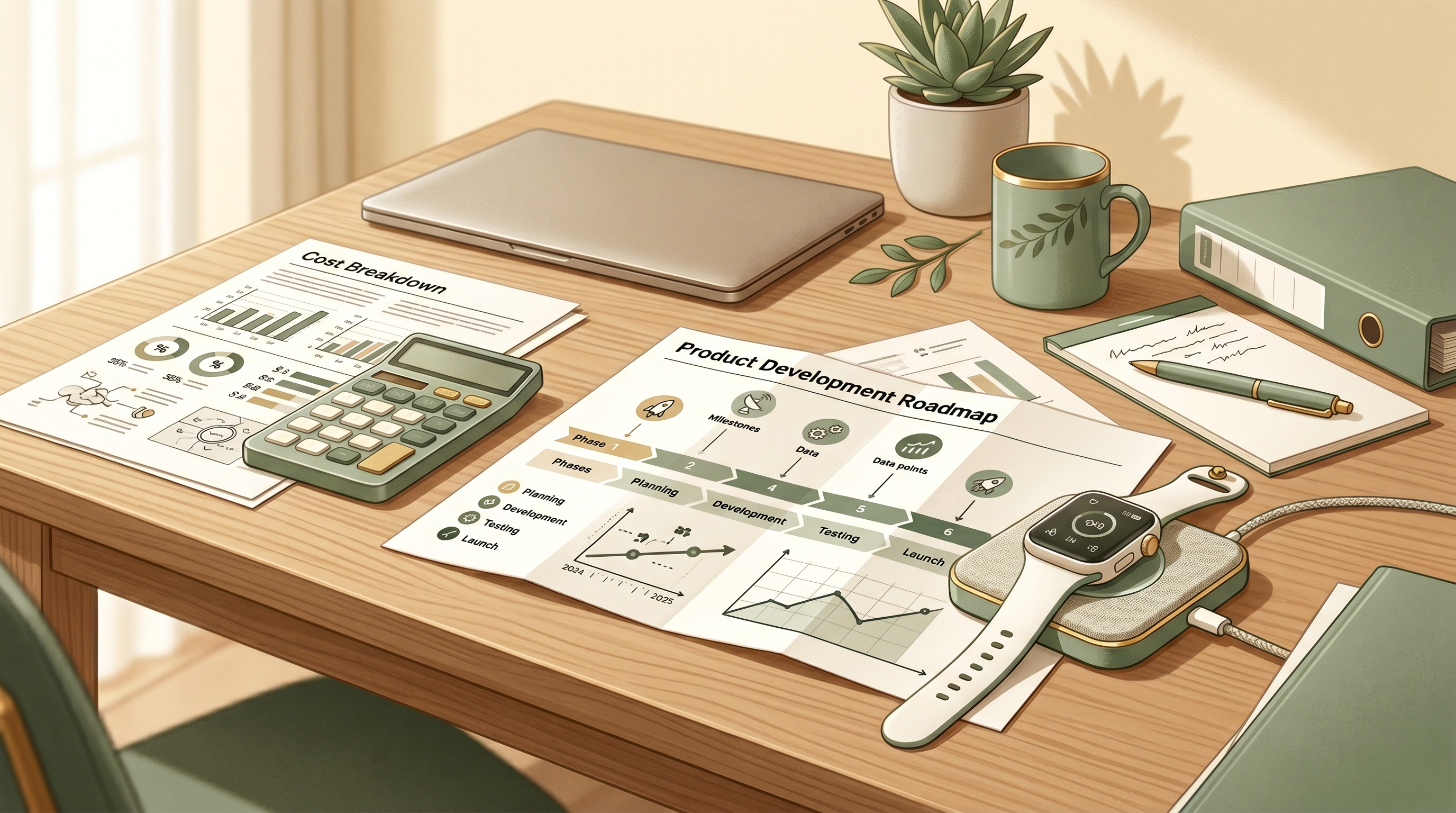
Hardware product investment planning desk with cost breakdown documents charts and a smart wearable device
The realistic investment ranges for connected health hardware are wider than most first-time founders expect.

The internet will tell you a smart consumer hardware product costs $50,000 to launch. The internet is lying. Here are the real ranges based on more than 150 shipped products.

Product CategoryRealistic Total InvestmentTypical Timeline
Wellness wearable (no medical claims)$100,000 – $200,0004 to 6 months
Connected fitness device with companion app$200,000 – $300,0005 to 10 months
FDA-cleared medical device (Class I)$500,000 – $1,200,00010 to 12 months
FDA-cleared medical device (Class II, e.g., neurostimulator)$1,000,000 – $2,500,00010 to 12 months
Clinical-grade diagnostic device$1,500,000 – $5,000,000+12 to 24 months

These ranges include hardware, firmware, mobile apps (iOS + Android), cloud backend, certification, and pilot testing. They do not include marketing, manufacturing scale-up beyond initial production, or salaries for an in-house team.

If you’ve raised money for a connected health product and the budget is below the bottom of these ranges, something is being underestimated. We’d rather tell you that now than have you discover it 14 months in.

The Build vs. Outsource Question

Healthcare practitioner collaborating with engineers reviewing a wearable medical device prototype
For most first-time hardware founders, the math favors specialized partners over building an in-house team.

Practitioners often ask: do we hire an in-house engineering team, or partner with a development firm?

A realistic in-house team for a first connected product looks like one embedded firmware engineer, one iOS engineer, one Android engineer, one backend engineer, and a part-time QA. Fully loaded, that team costs $80,000 to $120,000 per month. Over 12 months, you’re committing more than $1 million before you’ve shipped a single unit. You also have to find, recruit, retain, and manage that team — which is roughly a full-time job in itself, and not the job you wanted to do.

For a first product, the math almost always favors specialized firms. In-house becomes the right call after you’ve shipped, validated the market, and have a clear two-year roadmap for v2 and v3.

What to Look For in an Engineering Partner

If you’re going to partner, the right partner has four characteristics:

  1. They’ve shipped connected products in your category before. Not generic “IoT projects.” Actual health or fitness or sports products that exist on the market today. Ask for case studies. Ask to talk to their previous clients.
  2. They lead with technical depth, not slides. A first conversation should leave you smarter, not sold to. If a partner can’t explain BLE background-mode constraints or the difference between FDA wellness and medical-device classification in five minutes, they haven’t shipped enough product.
  3. They speak the language of your domain. A partner who has worked with clinicians, athletes, or coaches will understand that data accuracy isn’t negotiable, that the user is more demanding than a consumer, and that the regulatory layer changes everything.
  4. They’re transparent about cost and timeline. A real partner gives you honest ranges and explains the variables. A weak partner gives you a single confident number and a 90-page pitch deck.

Where Most Practitioner-Founded Products Quietly Die

Hardware prototype on a desk surrounded by branching paths representing product development decisions
Most practitioner-founded hardware products fail for the same five reasons — all preventable in Stages 1 and 2.

We’ve seen the same five failure patterns repeatedly:

  • The product was a feature, not a category. “A better X” is rarely defensible. Successful products are categorically different.
  • The companion app was an afterthought. The hardware works; the app is unusable. Users abandon the product within 30 days.
  • Regulatory category was misdiagnosed. The team assumed wellness, the FDA classified it as medical, and the product is now in 18-month re-certification.
  • The data model was wrong. Sessions weren’t standardized, research-grade analysis was impossible, and the clinical credibility roadmap evaporated.
  • The team ran out of money before pilot testing. Hardware budget was right; everything around it (firmware, app, cloud, testing) was underestimated.

Each of these is preventable in Stage 1 or Stage 2. None are preventable once they happen.

A Final Word — Your Insight Is the Most Valuable Asset

If you’re a healthcare or fitness provider seriously considering building a connected device, the most valuable thing you bring to the project is not capital. It’s not even the product idea.

It’s the daily, weekly, year-after-year insight into the specific moment of friction that real users experience. That insight is what makes products that win in this category. It’s what we’ve seen drive every successful connected health product we’ve ever shipped.

Engineers can build anything. The hard part is knowing what to build. You already know that. The rest is execution.

What to Do Next

 Finished elegant connected health wearable device on a clean modern surface in a clinical setting
From sketch to shipped — what your finished product can look like with the right engineering partner.

If you have an idea for a connected health or fitness device and want to understand what it would actually take to build it, we offer a free 45-minute Product Feasibility Call. On the call we’ll:

  • Listen to your concept and the user problem you’re solving
  • Sketch a rough technical architecture (sensor type, wireless protocol, regulatory pathway)
  • Give you a realistic timeline and investment range tailored to your product
  • Tell you honestly whether the idea is ready to start engineering or needs more validation first

No slides. No pitch. Just a conversation between practitioners and engineers who’ve shipped 150+ connected products together.


About Iottive

IOTTIVE is an AIoT product engineering firm with teams in India, Europe, and North America. Since 2016 we have engineered connected products for 155+ companies across 30+ countries — with deep specialization in connected health wearables, sports technology, and FDA-cleared medical devices. Our portfolio includes Vertex Golf (used by 150+ tour professionals), BionicGym (FDA-cleared NMES wearable), Vagal Tones (medical vagus nerve stimulation), 360Care (HIPAA-compliant remote patient monitoring), and SafeyApp (FDA-cleared Bluetooth spirometer for asthma and COPD).

Solving the iOS Background BLE Challenge: How iBeacon Enables Reliable Background Bluetooth Detection

WHITE PAPER

Solving the iOS Background BLE Challenge

How iBeacon Technology Enables Reliable Background Bluetooth Detection on Apple Devices

By Rushabh Champaneri | Founder & CEO, IOTTIVE

March 2026

Download the Full White Paper (PDF)

19 pages with implementation checklists, comparison tables, and architecture diagrams.

Download White Paper

Executive Summary

Every iOS developer building Bluetooth Low Energy (BLE) products eventually hits the same wall: Apple’s aggressive background processing restrictions effectively kill BLE connections the moment users switch away from your app. This isn’t a bug — it’s a deliberate architectural decision by Apple to preserve battery life and protect user privacy.

For businesses building IoT products — from medical wearables to asset tracking systems to smart home devices — this creates a critical reliability gap. Users expect their Bluetooth devices to work seamlessly, whether the app is in the foreground or not. The reality is far more complicated.

This white paper provides a comprehensive technical analysis of iOS Core Bluetooth’s background limitations and presents the iBeacon framework as a proven solution for reliable background device detection. We examine the specific constraints Apple imposes, detail how iBeacon’s deep OS integration bypasses these restrictions, and provide a practical hybrid architecture that combines both technologies for maximum reliability.

Key findings: Core Bluetooth background scanning effectively stops after app suspension, with detection delays measured in minutes rather than milliseconds. iBeacon region monitoring, by contrast, operates at the OS level and can relaunch a terminated app within approximately one second of detecting a beacon — even after the user has force-quit the application.

Section 1: Why iOS Kills Your BLE Connection

Apple’s iOS operating system enforces one of the most aggressive background processing models in the mobile ecosystem. Unlike Android, which allows significant background freedom (at the cost of battery life and security), iOS was designed from the ground up to strictly control what apps can do when they’re not visible on screen.

The Suspension Model

When a user switches away from your app, iOS follows a predictable lifecycle:

  1. Active — The app is in the foreground and receiving events normally.
  2. Background — The app has approximately 10 seconds to complete critical tasks before the system suspends it.
  3. Suspended — The app remains in memory but executes no code. All BLE scanning stops.
  4. Terminated — The system reclaims memory. The app process no longer exists.

For BLE applications, this model creates a fundamental problem: the moment your app leaves the foreground, iOS begins restricting and eventually eliminating your ability to discover and communicate with Bluetooth devices.

Why Apple Made This Choice

  • Battery preservation: Continuous BLE scanning at foreground rates would drain battery life significantly. Apple’s own testing showed that unrestricted background scanning could reduce battery life by 15–25%.
  • Privacy protection: Background BLE scanning can be used for location tracking without user consent. By restricting it, Apple prevents apps from silently monitoring beacon infrastructure.
  • System resource management: With potentially hundreds of apps installed, allowing all of them to maintain active BLE connections would overwhelm the Bluetooth hardware.

The Developer Pain Point

In practice, background mode restrictions mean:

  • Scan intervals increase from milliseconds to seconds (or longer)
  • Duplicate advertisements are coalesced into a single event
  • Non-connectable advertisements are suppressed entirely
  • The CBCentralManagerScanOptionAllowDuplicatesKey parameter is ignored
  • If the user force-quits the app, all BLE state restoration fails

The result: your carefully designed BLE product appears unreliable to users, not because of hardware limitations, but because iOS is actively preventing your app from communicating with its paired devices.

Section 2: Core Bluetooth in the Background — The Reality

Apple provides two Info.plist background modes for Core Bluetooth: bluetooth-central (for scanning and connecting) and bluetooth-peripheral (for advertising). Even with both enabled, the limitations are severe.

What Actually Works

  • Maintaining existing connections: If your app connects to a peripheral while in the foreground, that connection persists in the background.
  • State Preservation & Restoration: If the system terminates your app to reclaim memory, iOS can relaunch it in the background when a Bluetooth event occurs.
  • Filtered scanning: If you specify exact service UUIDs in your scan filter, iOS will wake your app when it detects matching advertisements — but with significant delays.

What Breaks

  • Unfiltered scanning: Passing nil for service UUIDs returns zero results in the background.
  • Discovery speed: Background scan callbacks can be delayed by 30 seconds to several minutes.
  • Force-quit recovery: When the user explicitly kills the app, ALL Core Bluetooth state restoration fails.
  • Device reboot: After a device reboot, Core Bluetooth background scanning recovery is inconsistent.
  • Two-device background problem: When both iOS devices are in the background, neither can discover the other due to the “overflow area” limitation.

Section 3: How iBeacon Solves the Background Problem

iBeacon is Apple’s proprietary proximity detection protocol, built on BLE hardware but managed through the CoreLocation framework rather than CoreBluetooth. This distinction is critical — it means iBeacon detection operates at the operating system level, bypassing the restrictions that cripple standard BLE scanning.

Why iBeacon Works When Core Bluetooth Doesn’t

1. OS-Level Region Monitoring

When you register a CLBeaconRegion, iOS adds it to the system’s location monitoring infrastructure. This runs continuously at the hardware/OS level, completely independent of your app’s lifecycle state. The monitoring works even when your app is in the background, suspended, terminated, or force-quit by the user (iOS 7.1+).

2. App Relaunch Capability

When iOS detects entry into a monitored beacon region, it can relaunch your terminated app into the background with approximately 10 seconds of execution time.

3. Consistent Detection Speed

Independent testing by Classy Code measured iBeacon detection within approximately 1 second — orders of magnitude faster than Core Bluetooth background scanning.

4. Battery Efficiency

Because region monitoring is managed by the OS using optimized hardware scanning patterns, it consumes significantly less battery than app-level Core Bluetooth scanning.

Section 4: Core Bluetooth vs. iBeacon — Complete Comparison

Capability Core Bluetooth iBeacon (CoreLocation)
Background Scanning Limited (must filter by UUID) Full region monitoring
Works After App Killed Yes (state restoration only) Yes (always)
Works After Force-Quit No Yes (iOS 7.1+)
Works After Reboot Limited Yes (~5 min init)
Detection Speed (BG) Seconds to minutes ~1 second
Battery Efficiency Moderate High (OS-optimized)
Max Monitored Items System-managed 20 regions per app
Custom Data Transfer Full GATT access UUID / Major / Minor only
Proximity Estimation Manual RSSI calculation Built-in (immediate/near/far)
Location Permission Not required Required (Always)
Region Monitoring Not available Entry / Exit events
OS-Level Integration App-level only Deep OS integration
Recommended Use Data transfer, connected sessions Background detection, triggers

Key takeaway: Core Bluetooth excels at data transfer and connected sessions. iBeacon excels at reliable background detection and presence monitoring. The optimal architecture uses both.

Section 5: The Hybrid BLE + iBeacon Architecture

The most robust iOS Bluetooth implementations combine both technologies in a layered approach:

Layer 1: iBeacon for Background Detection

  • Configure your BLE peripheral to broadcast iBeacon advertisements alongside custom BLE services
  • Register CLBeaconRegion monitoring in the iOS app
  • iOS detects beacon presence at the OS level, regardless of app state
  • On region entry: app is relaunched/woken into background

Layer 2: Core Bluetooth for Data Transfer

  • After iBeacon triggers app wake-up, initiate Core Bluetooth connection
  • Connect to the peripheral’s GATT services for actual data exchange
  • Read sensor data, write commands, subscribe to notifications
  • Use state preservation to maintain connection when backgrounded

Layer 3: Application Logic

  • Process incoming data and update local storage
  • Send local notifications for user-facing alerts
  • Sync data to cloud services during background execution windows
  • Manage connection lifecycle and error recovery

Dual Advertising on the Peripheral

Most modern BLE SoCs (Nordic nRF52/53/54, ESP32, Dialog, etc.) support multiple advertising sets:

  • Advertising Set 1: Standard iBeacon format with your registered UUID, Major, and Minor values. Non-connectable.
  • Advertising Set 2: Custom BLE service advertisement with GATT server. Connectable.

Section 6: Real-World Use Cases

Medical Wearables & Remote Patient Monitoring

iBeacon region monitoring ensures the phone detects the wearable whenever it’s within range, automatically syncing pending health data (heart rate, SpO2, ECG, blood glucose). Eliminates the “please open the app to sync” problem.

Asset Tracking & Logistics

BLE tags on inventory broadcast iBeacon signals. iOS devices register region monitoring for warehouse zones. When a worker’s device enters a zone, the app wakes, ranges nearby tags, and logs which items are present. The BLE IC market is projected to reach $5.33 billion by 2032.

Smart Locks & Access Control

The smart lock broadcasts iBeacon signals. The user’s phone detects region entry from several meters away. The app wakes, establishes a Core Bluetooth connection, performs cryptographic authentication, and sends the unlock command — true hands-free access.

Retail & Proximity Marketing

Store beacons define entry zones. The retailer’s app monitors these regions. On entry, relevant offers are displayed via local notifications. Retail and healthcare account for over 60% of global beacon adoption.

Section 7: Implementation Checklist

Peripheral / Firmware

  • ☐ Configure dual advertising sets (iBeacon + custom BLE service)
  • ☐ Register a unique iBeacon UUID for your deployment
  • ☐ Define Major/Minor numbering scheme for device hierarchy
  • ☐ Set appropriate advertising intervals (100–350ms for iBeacon)
  • ☐ Implement GATT services for data transfer
  • ☐ Test with Nordic nRF52/53/54 or ESP32 development boards

iOS Application

  • ☐ Add bluetooth-central background mode to Info.plist
  • ☐ Add location background mode to Info.plist
  • ☐ Request “Always” location permission with clear purpose string
  • ☐ Register CLBeaconRegion monitoring (max 20 regions)
  • ☐ Implement didEnterRegion / didExitRegion delegates
  • ☐ Initiate Core Bluetooth connection on region entry
  • ☐ Implement CBCentralManager state preservation and restoration
  • ☐ Handle edge cases: Bluetooth off, Location Services disabled, permission denied

Testing & Validation

  • ☐ Test background detection after app suspension
  • ☐ Test detection after force-quit
  • ☐ Test detection after device reboot
  • ☐ Measure detection latency in background vs. foreground
  • ☐ Validate battery impact over 24-hour periods
  • ☐ Test region entry/exit with multiple nearby beacons

Free 30-Minute BLE Architecture Consultation

Struggling with iOS background BLE reliability? Our engineers have solved this problem across dozens of commercial products. Let us review your architecture and recommend the right approach for your specific use case.

Email: rushabh@iottive.com

Website: www.iottive.com

Location: Ahmedabad, India

How to Add Smart Connectivity to Your Physical Product: A Complete 2026 Playbook for Hardware Companies

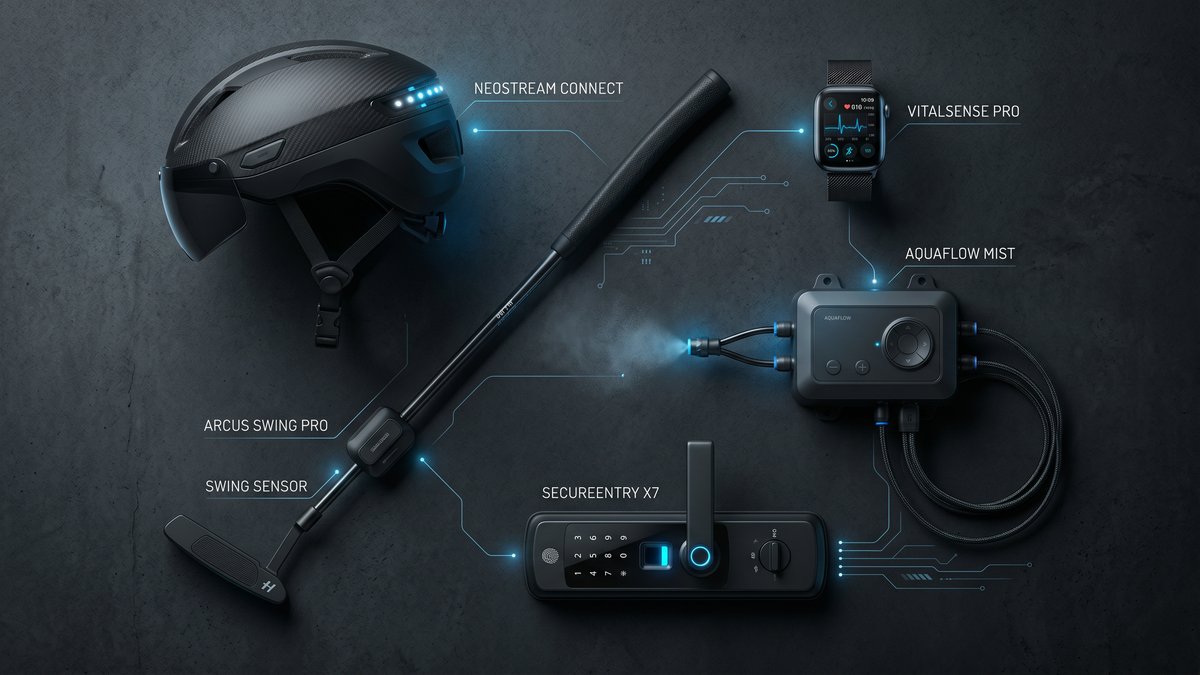
Connected products across industries: smart helmet, wearable health device, misting system, golf putter sensor, and smart lock
Connected products we have engineered span sports, industrial, safety, healthcare, and lifestyle categories.

By the Iottive Engineering Team · 18 min read · April 2026

In 2016, we sat across from the founder of a European golf-putter company. He had 150+ tour professionals using his product, a patent-pending sensor mechanism, and a problem: his hardware was brilliant, but the companion app felt like an afterthought. Golfers would record a practice session and then — nothing. No analysis. No feedback loop. No stickiness.

Two years later, that same putter — the Vertex SmartCore — had logged over 10 million putting strokes and became the preferred training tool for coaches of three major championship winners.

This playbook is the accumulated knowledge from engineering connected products for 155+ hardware companies over the past decade — across fleet management in Malta, climate sensors for citizen scientists, industrial misting systems in Italy, motorcycle safety in the United States, and luxury wireless chargers in Belgium.

What you will learn:

  • The six-layer architecture of a production-ready connected product
  • How to choose between BLE, Wi-Fi, LTE-M, and other protocols — with real tradeoff tables
  • The honest cost and timeline breakdown for a first MVP through production launch
  • When to build vs. buy each layer
  • How to avoid the five mistakes that derail 80% of IoT projects
  • A decision checklist you can use in your next planning session

Part 1: Why “Just Add Bluetooth” Fails

The most dangerous phrase in IoT product development is “we just need to add connectivity.”

Connectivity is not a feature. It is an architecture. Adding a BLE chip to a product without redesigning the firmware, power budget, security model, and data pipeline is like installing a jet engine on a bicycle and calling it an aircraft.

We have seen this failure mode play out dozens of times:

  • A glucose monitor manufacturer added BLE in week 11 of a 12-week sprint. Pairing worked in the lab. In the field, reconnection after sleep mode failed 40% of the time. The product recall cost $2.3 M.
  • A smart lock startup shipped firmware that allowed an unauthenticated BLE command to unlock the device from 30 feet away. The vulnerability was discovered by a security researcher on day one of public launch.
  • An industrial sensor company built a beautiful cloud dashboard — and forgot that their devices would be behind NAT firewalls on factory floors. Zero devices ever connected.

The pattern in all three cases: connectivity was treated as a layer added on top of the product rather than designed into the product from day one.


Part 2: The Six-Layer Architecture

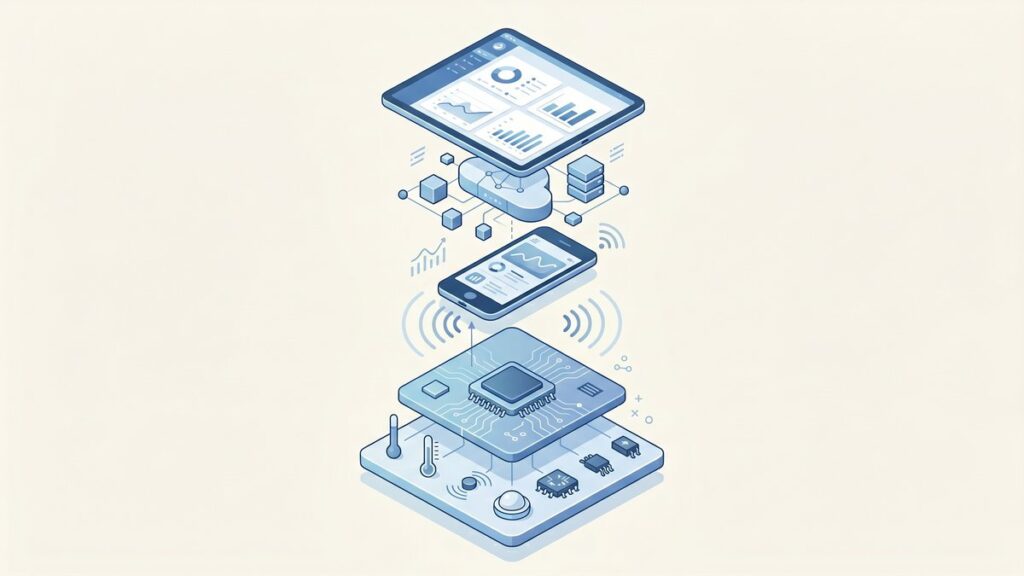
Six-layer IoT product architecture diagram showing sensor, firmware, wireless, mobile, cloud, and analytics layers
Every connected product is built on six distinct engineering layers. A weak link in any one collapses the experience.

Every production-grade connected product is actually six products stacked on top of each other. Understanding these layers — and their interfaces — is the difference between a prototype and a shippable system.

Layer 1: Embedded Firmware

The firmware layer runs on your microcontroller or SoC. For BLE products, this typically means a Nordic nRF52 series or a Silicon Labs EFR32 — both offer mature SDKs, certified radio modules, and power management APIs that are well-documented.

Key firmware responsibilities in a connected product:

  • BLE stack management: advertising, connection, pairing, bonding, reconnection
  • GATT profile design: which services and characteristics expose your sensor data
  • Power state machine: transitions between active, sleep, and deep-sleep modes without losing BLE context
  • OTA update handler: accepting firmware images over BLE and writing them safely to flash
  • Watchdog and fault recovery: ensuring the device recovers from software faults without requiring a physical reset

A firmware mistake at this layer is the most expensive mistake you can make. Firmware bugs that reach mass production require physical recalls or complex OTA patches — both of which erode customer trust and burn cash.

Layer 2: The Radio Protocol

The protocol choice drives cost, power budget, range, and the app experience. Here is a simplified comparison for the most common options for consumer and light-industrial connected products:

ProtocolRangePowerRequires Phone?Monthly Cloud Cost (10k devices)Best For
BLE 5.x10–100 mVery LowYes (or gateway)$0 (device-side) + app infraWearables, medical, consumer
Wi-Fi (802.11)30–50 mHighNo$80–$400Smart home, appliances
LTE-M / NB-IoTNationwideLow–MedNo$200–$2,000+Fleet, logistics, field sensors
LoRaWAN2–15 kmVery LowNo (gateway)$50–$300Agriculture, smart city
Zigbee / Thread10–30 mLowNo (hub)$0–$100Smart home mesh

For most hardware startups building their first connected product, BLE is the right starting point. It requires no monthly connectivity fees at the device level, ships with free certification on pre-certified modules, and the phone becomes your gateway — eliminating the need for a separate hub infrastructure.

Layer 3: The Mobile Application

For BLE products, the mobile app is not a companion — it is the gateway. Data does not reach your cloud unless the app is open (or running in background mode, which has its own battery and OS permission constraints).

This architectural reality has product implications that surprise many hardware founders:

  • Session-based data: If the user does not open the app for three days, three days of sensor data is buffered on the device (or lost, if the buffer overflows).
  • Background sync limits: iOS severely limits background BLE activity. Your app cannot maintain a persistent BLE connection while in the background on iOS without explicit user permission and a specific background mode declaration.
  • App store review risk: A rejected app update can block critical firmware OTA or security patches from reaching users.

For products where real-time data continuity is critical (medical monitoring, industrial alarms), a hardware gateway — not a phone — is often the right answer at Layer 3.

Layer 4: The Cloud Backend

The cloud backend is where your product becomes a platform. The core components:

  • Device registry: maps device serial numbers to user accounts, firmware versions, and last-seen timestamps
  • Telemetry ingestion: a high-throughput API endpoint (or MQTT broker) for receiving sensor data at scale
  • Time-series storage: purpose-built databases (InfluxDB, TimescaleDB, or AWS Timestream) outperform relational databases for sensor data by 10–100× at query time
  • OTA update service: manages firmware version targeting, rollout percentages, and rollback triggers
  • Auth service: device-level authentication (certificate-based or token-based), separate from user authentication

A common mistake: building a monolithic REST API for telemetry ingestion. At 10,000 devices syncing every 60 seconds, you are handling 167 requests per second — a load that will overwhelm a standard web API container and produce 5–9% data loss without proper queuing.

Layer 5: The Analytics and Intelligence Layer

Raw sensor data is not value. Processed insights are value. This layer transforms ingested telemetry into the outputs that make users retain your product:

  • Trend analysis and anomaly detection
  • Predictive maintenance signals
  • Personalized coaching or recommendations
  • Fleet-level aggregate dashboards (for B2B)
  • Alerting and notification triggers

This layer is where most MVP scopes get cut — and where the product value proposition lives. We consistently find that hardware companies that ship a basic analytics layer — even simple trend charts — see 2–3× higher 90-day retention than those that ship raw data views.

Layer 6: The Update and Lifecycle Layer

Connected products ship bugs. Regulations change. Features get added post-launch. Without a reliable OTA update mechanism, every firmware issue becomes a recall event.

A production OTA system requires:

  • Signed firmware images (prevents supply chain attacks)
  • Incremental rollout (release to 1% → 10% → 100% with automated rollback on error-rate spikes)
  • Dual-bank flash (so a failed update does not brick the device)
  • Update status reporting (so you know what percentage of the fleet is on each version)

OTA is not a nice-to-have. It is a regulatory requirement in the EU under the Cyber Resilience Act (effective 2027) and a practical necessity for any product with a shelf life longer than 18 months.


Part 3: Choosing Your Radio Protocol

The protocol decision is irreversible once hardware is manufactured. Making it based on demo convenience rather than production requirements is a frequent source of expensive redesigns.

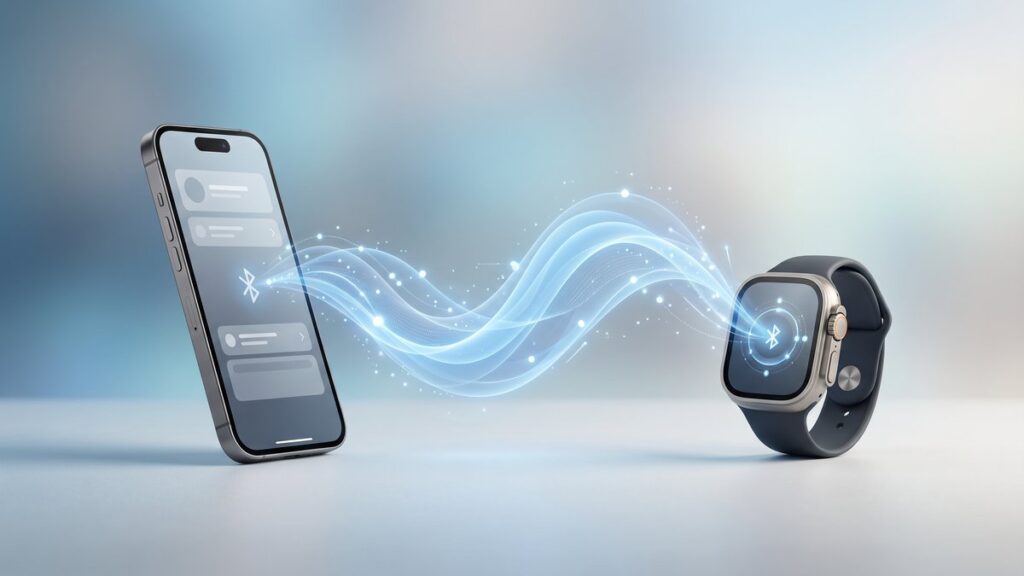
Bluetooth Low Energy waves connecting a smart wearable device to a smartphone
BLE dominates consumer hardware for good reason: ubiquity, low power, low cost, and sufficient bandwidth.

When BLE Is the Right Choice

  • The user will have a smartphone nearby during product use
  • You need battery life exceeding six months on a coin cell
  • Your product is consumer or prosumer (wearable, fitness, medical, sports)
  • You cannot afford monthly connectivity fees per device
  • You need iOS and Android compatibility without custom hardware

When Wi-Fi Is the Right Choice

  • The product is always plugged in (appliances, smart home, industrial equipment near outlets)
  • You need always-on cloud connectivity without a phone intermediary
  • Data volumes exceed what BLE can efficiently transfer (>100 KB per sync)
  • You are building for enterprise or commercial environments with managed Wi-Fi infrastructure

When Cellular (LTE-M / NB-IoT) Is the Right Choice

  • The product moves or is deployed in locations without fixed infrastructure (vehicles, containers, field assets)
  • Guaranteed connectivity matters more than cost
  • The business model can absorb $1–10/device/month in connectivity fees
  • Real-time remote monitoring is a core feature, not optional

Part 4: Timeline Reality

The most common mismatch we see between hardware founders and engineering teams is on timeline expectations. Here is the honest breakdown, based on median delivery times across our project portfolio:

PhaseWhat Gets BuiltTypical Duration
Discovery & ArchitectureProtocol selection, system design, API contracts, risk registry2–3 weeks
Firmware MVPBLE stack, GATT profile, sensor integration, basic OTA stub6–10 weeks
Mobile App MVPBLE pairing, data display, user accounts, basic sync8–14 weeks
Cloud Backend MVPDevice registry, telemetry API, auth, OTA service6–10 weeks
Integration & QAEnd-to-end testing, field testing, performance validation3–5 weeks
Certification SupportFCC/CE pre-scan support, BLE SIG qualification4–6 weeks

Total MVP Range: Over 6–8 months

These figures assume you already have hardware prototypes ready for firmware integration. If hardware is still in design, add 3–6 months for hardware bring-up and PCB spins.

The parallelization question: firmware and cloud development can run in parallel (using agreed API contracts as the interface). Mobile app development should start no earlier than week 4, once the BLE GATT profile is stable enough to build against. Starting mobile earlier typically produces 2–3 weeks of throwaway work as the firmware interface changes.


Part 5: Build vs. Buy at Each Layer

Not every layer needs custom development. Here is our current recommendation matrix based on build/buy economics:

LayerBuild CustomBuy / Use PlatformRecommendation
BLE Firmware StackFull control, no licensingNordic SDK, Zephyr RTOSUse established SDK. Do not write a BLE stack.
OTA ServiceFull control over rollout logicAWS IoT Jobs, Memfault, MenderBuy for <50k devices. Custom above that threshold.
Mobile BLE LayerMaximum flexibilityNordic Blinky SDK, React Native BLE PLXUse library. Do not rewrite CoreBluetooth/BluetoothGATT wrappers.
Cloud TelemetryFull schema controlAWS IoT Core, Azure IoT Hub, InfluxDB CloudHybrid. Use managed MQTT broker, build custom processing pipeline.
Device AuthFull control, no vendor lock-inAWS IoT Certificates, Particle, BluesBuy. Device certificate management is a solved problem.
Analytics/MLProprietary algorithms = moatAWS SageMaker, generic dashboardsBuild. This is where your product IP lives.

Part 6: The Five Mistakes That Kill IoT Projects

Mistake 1: Skipping the Architecture Phase

The Architecture phase (Part 4 cost table, row 1) is the most frequently skipped and most frequently regretted phase. Starting firmware development without agreed API contracts and a validated protocol choice produces expensive divergence between the firmware, mobile, and cloud teams. In one engagement, a skipped architecture phase produced a 14-week delay and $180,000 in rework when the firmware team and cloud team discovered their assumed data formats were incompatible.

Mistake 2: Underspecifying the GATT Profile

The GATT profile — the BLE data schema that defines how your device exposes data to the mobile app — is your product’s API contract. Changing it after the mobile app is built requires synchronized releases of firmware and app, which is operationally complex once devices are in the field. We treat the GATT profile with the same discipline as a public API: versioned, documented, and change-controlled from day one.

Mistake 3: Ignoring iOS Background Restrictions

iOS 13+ introduced significant restrictions on background BLE activity. If your product’s user experience depends on the phone continuously syncing data from the device (sleep trackers, continuous monitors, sports sensors), you will encounter this constraint in user testing. The mitigation options are: (a) use a hardware gateway instead of a phone, (b) design for session-based sync with on-device buffering, or (c) use Apple’s Core Bluetooth background mode with explicit documentation to users about battery impact. There is no option (d) that bypasses the OS restriction.

Mistake 4: Using a Relational Database for Telemetry

PostgreSQL and MySQL are excellent databases for user data, device registry, and configuration. They are poor databases for high-frequency time-series sensor data. At 10,000 devices logging once per minute, a relational database storing raw telemetry will begin experiencing performance degradation within 18–24 months. We have migrated three clients from relational to time-series storage in production — a painful, expensive operation that is entirely avoidable by making the right choice at architecture time.

Mistake 5: Treating Security as a V2 Feature

BLE security is not the default. Out-of-the-box BLE connections are unencrypted and unauthenticated. Implementing LE Secure Connections pairing, encrypting GATT characteristics, and validating device identity against a certificate stored at provisioning time are all engineering tasks that require explicit design and implementation effort.

The cost of retrofitting security into a shipped product: 3–6× the cost of building it in from the start, plus the reputational risk of a public disclosure in the interim.


Part 7: Real Projects, Real Numbers

Theory is useful. Numbers are better. Here are four real projects (anonymized by industry and geography, consistent with client NDAs) with actual delivery metrics:

Project A: Fleet Telematics Platform (Malta)

Product: LTE-M asset tracker for commercial vehicle fleet, 1,200 devices at launch.

Stack: Custom firmware on STM32 + SIM7080G LTE-M module, AWS IoT Core + Timestream backend, React dashboard.

Timeline: 9 months from kickoff to production deployment.

Cost: Hardware BOM: €38/unit.

Key challenge: NAT traversal for devices behind carrier-grade NAT. Solved with MQTT over TLS with persistent keepalive and server-side last-will messages for disconnect detection.

Result: 99.2% uptime across the fleet in year one. Client expanded to 4,800 devices in month 18.

Project B: Consumer Health Wearable (Belgium)

Product: BLE wrist sensor for continuous HRV monitoring, targeted at biohacker market.

Stack: Nordic nRF52840 firmware, React Native iOS/Android app, InfluxDB Cloud + custom analytics API.

Timeline: 7 months to App Store submission.

Cost: Hardware BOM: €22/unit at 5,000-unit MOQ.

Key challenge: iOS background sync. Solved by implementing on-device circular buffer (72 hours of HRV data) and session-based sync when app opens, eliminating dependency on background mode entirely.

Result: 4.6-star App Store rating at launch. 68% 90-day retention (category average: 23%).

Project C: Industrial Misting Control System (Italy)

Product: Wi-Fi connected misting controller for commercial greenhouse and hospitality environments.

Stack: ESP32 firmware with custom Wi-Fi provisioning flow, MQTT backend on AWS, React Native app + web dashboard.

Timeline: 11 months (extended due to CE certification iterations).

Cost: Hardware BOM: €54/unit.

Key challenge: Reliable Wi-Fi provisioning in commercial environments with enterprise WPA2-Enterprise networks. Solved by implementing both soft-AP provisioning and Bluetooth-assisted provisioning as fallback.

Result: Deployed in 340 commercial sites across Italy and Germany. Zero remote support tickets related to connectivity in months 6–18 post-launch.

Project D: Motorcycle Safety Helmet (United States)

Product: BLE-enabled smart helmet with crash detection, emergency SOS, and ride logging.

Stack: Nordic nRF9160 (LTE-M + BLE combo SiP), iOS/Android app, AWS IoT + custom emergency dispatch integration.

Timeline: 14 months to FCC/DOT certification submission.

Cost: Hardware BOM: $67/unit at 2,500-unit MOQ.

Key challenge: False-positive crash detection leading to unnecessary SOS triggers. Solved with a two-stage algorithm: accelerometer threshold trigger followed by a 20-second confirmation window with a cancel button, reducing false positives by 94%.

Result: Became the first DOT-certified smart helmet with integrated LTE-M emergency dispatch. Featured in Wired and TechCrunch at launch.


Part 8: Your Pre-Kickoff Checklist

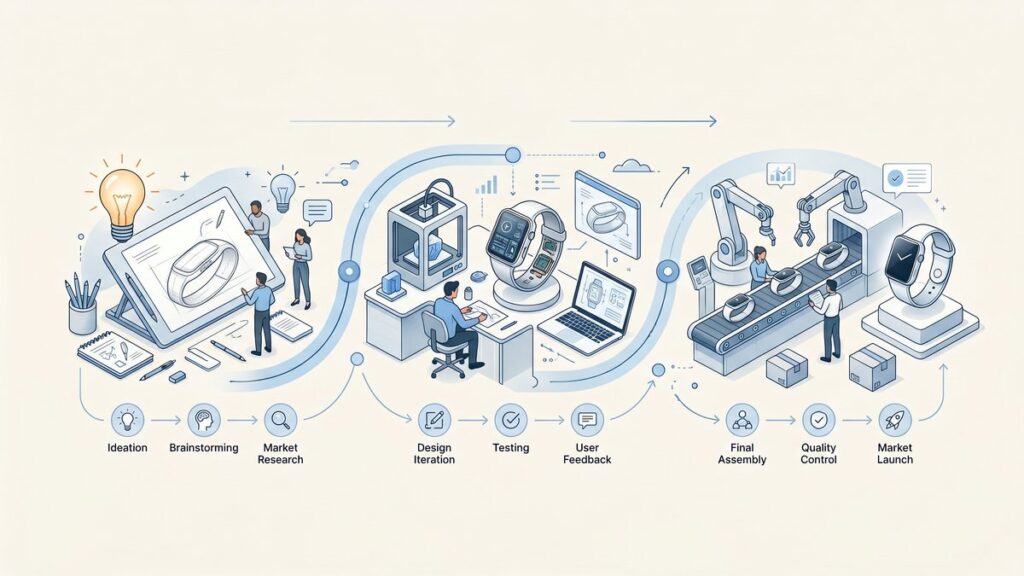
IoT product development roadmap from ideation through prototype to production launch
A realistic 90-day path from idea to validated connected-product MVP.

Before committing budget to a connected product development engagement, validate these ten questions. If you cannot answer more than three, the architecture phase is not a phase you can skip.

  1. What is the primary connectivity protocol, and why? (Not “we need connectivity” — the specific protocol and the specific reason.)
  2. What is the expected battery life, and what is the power budget per BLE advertisement / sensor read cycle?
  3. Where will data be stored on the device when the app is not connected, and what happens when the buffer fills?
  4. What is the OTA update delivery mechanism, and who controls rollout targeting?
  5. What is the device authentication model (certificate, token, or none)?
  6. What is the telemetry schema, and who owns schema versioning?
  7. What analytics or intelligence outputs will drive user retention?
  8. What regulatory certifications are required (FCC, CE, UKCA, MDD, FDA), and are they budgeted?
  9. What is the support model for devices in the field after launch?
  10. What is the sunset plan for devices when the cloud backend is eventually decommissioned?

Conclusion: Connectivity Is a Strategy, Not a Feature

The hardware companies that have successfully shipped connected products — the ones whose products are still running reliably three, five, eight years after launch — share one characteristic: they treated connectivity as a core architecture decision, not a feature added to an otherwise-complete product.

The golf putter company from the opening of this playbook succeeded not because we added BLE to their sensor. It succeeded because we redesigned the firmware power state machine, specified a GATT profile that exposed the right data for the app to deliver meaningful coaching, built a sync architecture that buffered 30 days of practice data on-device, and delivered an analytics layer that turned raw stroke data into actionable technique feedback.

Connectivity was not added. It was designed in.

If you are planning a connected product launch in 2026, the questions in Part 8 are a good starting point for your next internal planning session. If you would like a technical architecture review of your current design, our team at Iottive offers a no-commitment architecture review for hardware companies at the pre-development or early-development stage.

Request an Architecture Review →


About Iottive

Iottive is a specialist IoT and embedded engineering firm with a track record across 155+ connected hardware products. Our work spans BLE wearables (fitness, medical, sport), Wi-Fi connected appliances, LTE-M asset trackers, and LoRaWAN environmental sensor networks. Case studies include fleet telematics in Malta, smart home products in Belgium, industrial automation in Italy, climate science instrumentation for academic research, luxury chargers), and life-safety technology (motorcycle helmets).